Private Internet Access has extended its money-back guarantee to 30 days. That means if you are unhappy with the service for any reason, you now have 30 days to claim your refund. Previously, they offered only 7 days for refund processing. You can check a lot of best VPN services that offer a money-back guarantee.
This is great news as it gives you a longer period to try PIA’s service and decide if you’d like to continue with your subscription or back out. So in this guide, I will explain how you can cancel Private Internet Access and claim your refund while you still have the chance. You can first try these PIA troubleshooting tips if you’re experiencing problems and want to give this VPN another chance first.
If you have already canceled Private Internet Access and are looking for an alternative, you can look into ExpressVPN, a high-performing VPN with a great reputation. It also offers a 30-day money-back guarantee so you can use it free for 30 days. Now you can also get 3 months free on ExpressVPN’s annual plan.
Cancel Private Internet Access Account & Request Refund
- Log in to your Client Control Panel (CCP).
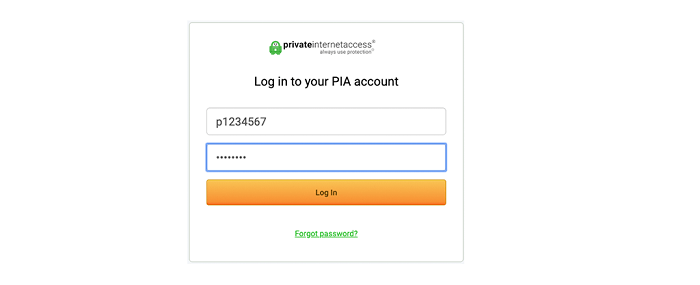
2. Through your CCP, you can find the cancel subscription” option.
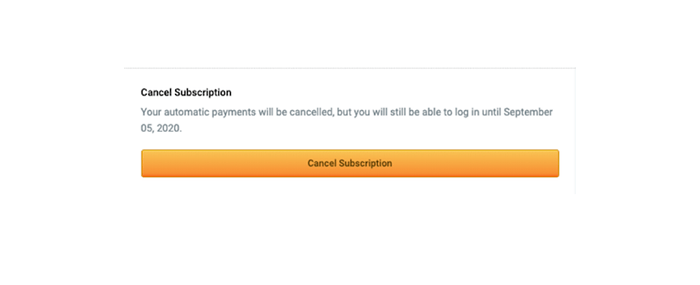
3. Choose cancel subscription.
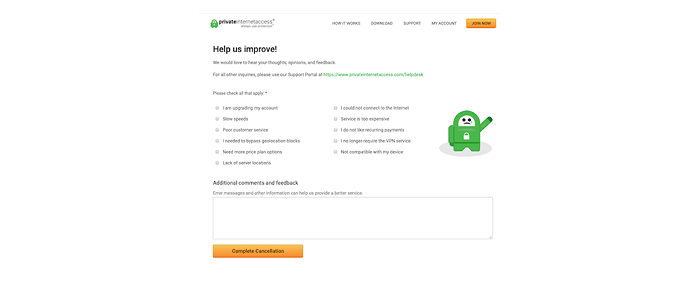
4. You will be asked to provide your feedback about the cancellation of your subscription.
5. After providing the feedback, select Complete Cancellation”.
6. You will be redirected to your CCP again where you can see the message that says your subscription has been canceled.
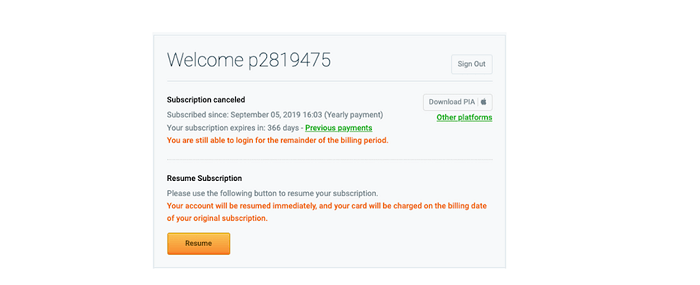
7. Now, you need to make the refund request. You can do that either by creating a support ticket in the customer support section, through live chat support, or by sending an email to helpdesk@privateinternetaccess.com.
8. You should receive an email response from PIA regarding your refund request. They will probably ask you a few questions about why you want to cancel your subscription, but that’s just formality. Answer the questions and they will give you a period of 5-7 business days for getting your money back.
Note: You can also resume or deactivate automatic renewals of your accounts by logging into your Client Control Panel.
How can I cancel the Private Internet Access VPN Subscription on Android?
If you purchased your PIA subscription through Google’s Play Store, the above methods won’t work for cancellation. You will need to cancel through the Play Store instead.
Here is how you can unsubscribe to Private Internet Access through your Android:
- Go to Google Play Store and log in to your account.
- Tap My Subscription” then tap ” Private Internet Access Subscription” again.
- Click Manage Subscription” then click Cancel Subscription”.
To ask for a refund, you will need to make the support ticket through PIA’s official website as described above. If you’re looking for a recommendation for another VPN to use on Android, see this list of Android VPNs.
How to cancel Private Internet Access Subscription on iOS?
If your Private Internet Access subscription was obtained through the App Store, you will need to cancel from the App Store rather than the PIA official website.
Here’s how to unsubscribe from PIA from the App Store:
- Through your settings app, click your name then click Subscription”
- Click Private Internet Access Subscription” you wish to manage
- Click Cancel Subscription”, use iTunes & App Store if you don’t find the former option
- Click your Apple ID and sign in to your account
- Click Subscription” and complete the cancellation process by following the on-screen instructions